The Chrome extension · Guide
Clova for Chrome's settings
You want the extension to stay quiet on a site, to start new addresses as one-sender, or to see which sites have an address.
The extension's settings are behind its button in Chrome's toolbar.
Turn it off on a site
- Open the site, and select the extension's button.
- Untick Offer addresses on and the site's name.
Tick it again to have the extension back there.
Start new addresses as one-sender
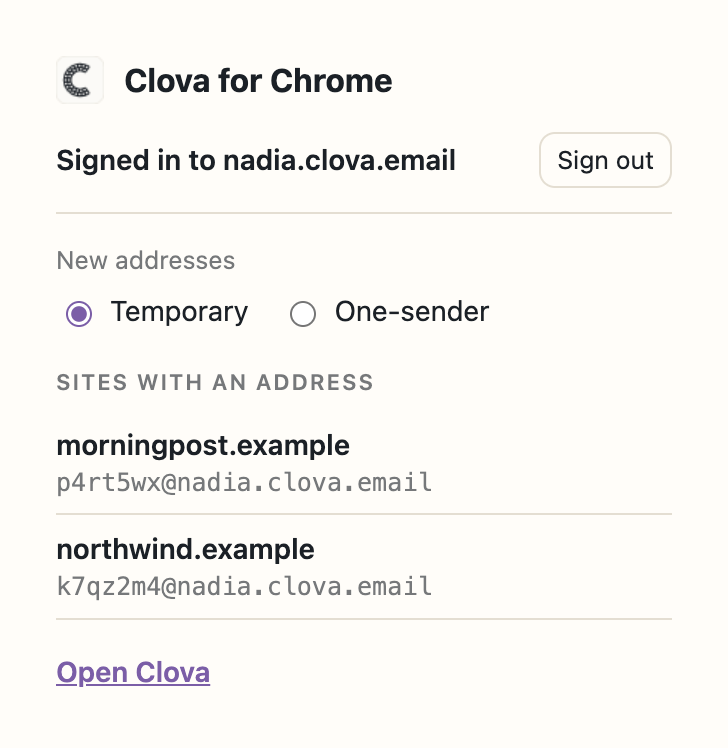
Under New addresses, select One-sender. The card starts with it, and you can still switch it to Temporary there.
See which sites have an address
Sites with an address lists each site the extension made an address for, newest first, with the address it offers there.
Good to know
- Settings stay
- When you sign out, and come back when you sign in again. Removing the extension from Chrome deletes them.
- Open Clova
- At the bottom, opens your mail.
Did this help?
Thank you for telling us.