The Chrome extension · Guide
Get Clova for Chrome
You want a new address of your own on every sign-up form you meet in Chrome, from the Clova account you already have.
Clova for Chrome is a browser extension. On a form that signs you up, it offers a new address from your account, made for that site alone. On the site's log-in form, it offers the address it made there. It runs in Chrome on a computer, and in browsers that take Chrome's extensions, such as Edge and Brave.
Get it
- In Chrome, open the Chrome Web Store, and search for Clova for Chrome.
- Select Add to Chrome, then Add extension.
A page opens to sign in.
Sign in
- Select Sign in to Clova. Or, later, select the extension's button in Chrome's toolbar, then Sign in to Clova.
- Sign in to Clova, if you aren't already.
- The page says what the extension may do: see your inboxes, and make one-sender and temporary ones. Made by Clova.Email says it's Clova's own.
- Select Allow.
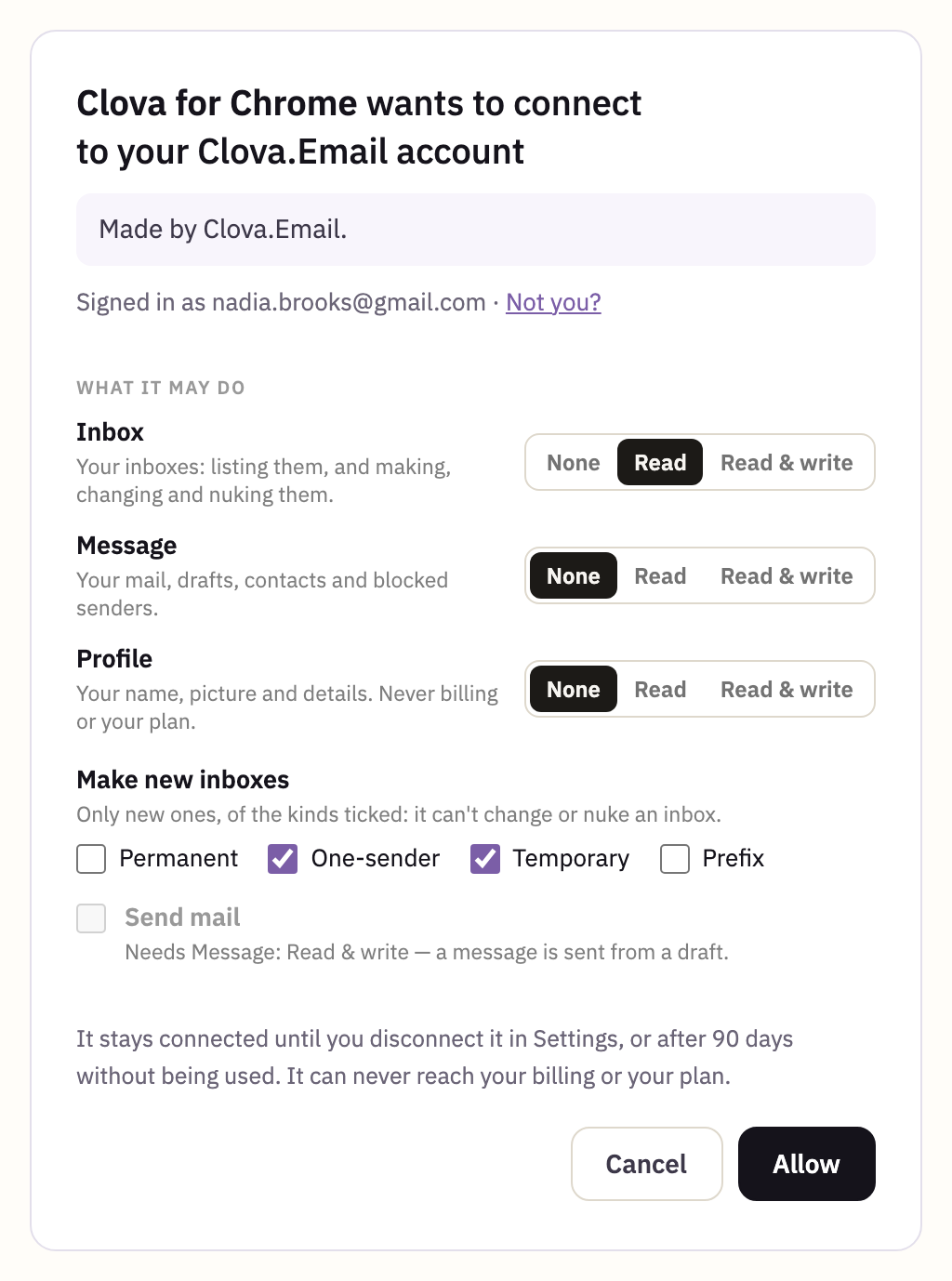
You stay signed in as long as you use it at least once every 90 days.
What it can do
It can list your inboxes, and make one-sender and temporary inboxes. It can't read your mail, change or delete an inbox, or make any other kind. Pages never see its sign-in.
It reads the pages you open in your browser only, to find email fields. It tells Clova about a site only when you make an address there: the privacy policy says exactly what it keeps and sends.
Sign out
- Select the extension's button in Chrome's toolbar.
- Select Sign out.
To disconnect it from Clova instead, go to Settings, under Developer, and select Disconnect beside Clova for Chrome.
Good to know
- Its button
- Chrome may keep it under the puzzle piece in the toolbar, with the other extensions. Pin it there to keep it in sight.
- Clova's own pages
- The extension offers nothing on Clova's website.
- Signing in again
- Replaces its old connection, rather than adding another.
Did this help?
Thank you for telling us.