Forwarding · Guide
Confirm a forwarding address
You added an address to forward to, and it says Not confirmed. Open the email Clova sent it, and confirm within 60 minutes.
Clova forwards nothing to an address until someone confirms it from that mailbox. When you add a forwarding address, Clova emails it a link, which works for 60 minutes.
Confirm from the email
- In the mailbox you're forwarding to, open the email from Clova, Confirm your forwarding address.
- Select Confirm forwarding →.
- On the page that opens, select Confirm forwarding.
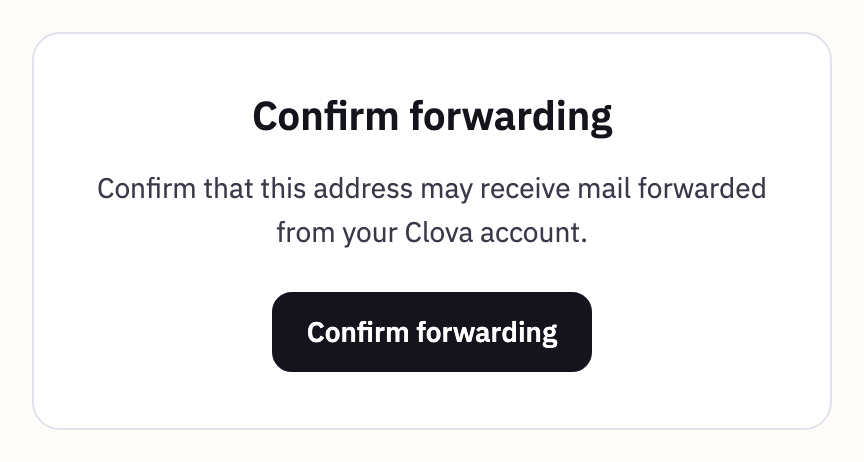
The page says Forwarding confirmed, and the address is Confirmed in Settings. Now choose it in each inbox that should forward there: set an inbox to forward.
Send another link
If the email hasn't come, or its link has expired:
- From the account menu, open Settings, then select Forwarding.
- Select the address.
- Select Resend email.
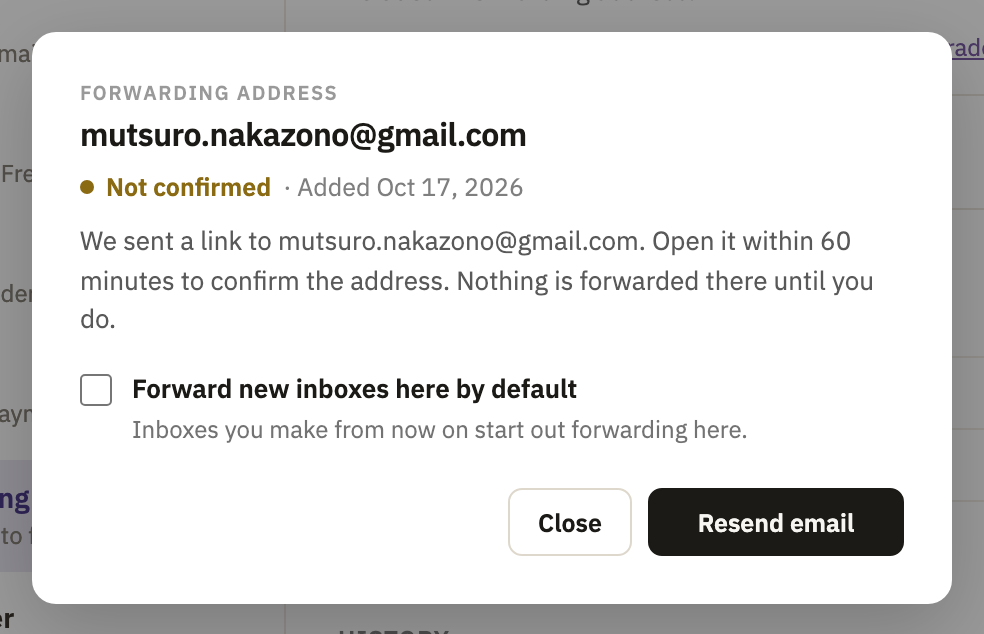
Another link can go 30 seconds after the first, then one every 2 minutes. Your account can send 10 a day, and any one address can be sent 3 a day.
Added several addresses in a row? Their links go out a couple of minutes apart. When an address's window says it waits its turn, select Send confirmation email once the countdown ends.
If the address says Not delivered, the email didn't get there, and its window says why. If the mail server there turned it away, check the address for a typo. An address can't be edited, so delete it and add it again.
If a link doesn't work
The page the link opens says why:
- This link has expired
- It's more than 60 minutes old. Send another link.
- This link is out of date
- The address was deleted after this email went. If it was added again, use an email sent since then.
- This link is not complete
- Part of it is missing. Copy the whole link from the email into your browser.
- Already confirmed
- The link was used before, and the address is confirmed. There's nothing more to do.
Refuse it instead
Got the email without asking to forward anything? Someone typed your address. Nothing is forwarded to you unless the link is used, and you can stop that account asking again.
- In the email, select refuse forwarding from this account.
- On the page that opens, select Refuse forwarding.
This link doesn't expire.
Good to know
- Any device will do
- The link works wherever you open it, signed in to Clova or not. Nothing happens until you select the button on the page.
- The email's language
- It's written in the language of whoever added the address.
- Some addresses can't be added
- An address at Clova, or at a domain someone brought to Clova, can't be a forwarding address: forward to one somewhere else. Neither can one already on your list.
- Every address counts
- An address takes one of your plan's forwarding addresses as soon as it's added, confirmed or not. Free includes one, so delete a mistyped address before you add the right one.
- To change an address
- Delete it, with the trash button beside it, and add the new one.
Did this help?
Thank you for telling us.