Inboxes · Guide
How a one-sender inbox locks
You're giving an address to one company or one person, and nobody else should be able to write to it. This is how the inbox decides who that is.
A one-sender inbox is an address for one company or one person. It locks to the first of them to write. For 14 days after that, the next senders who write can join it, up to five in all. Then it bounces everyone else, so if the address leaks, it's no use to whoever finds it.
Make one
- In the sidebar, next to One-sender, select +. On a phone, select Inboxes at the bottom of the screen first.
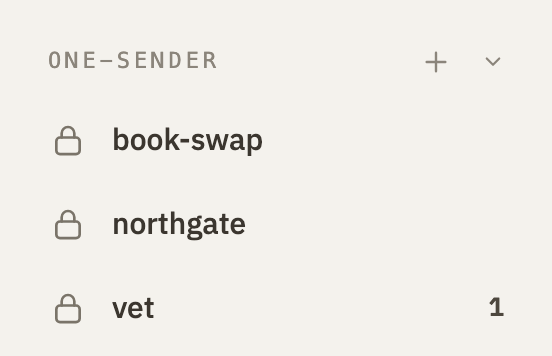
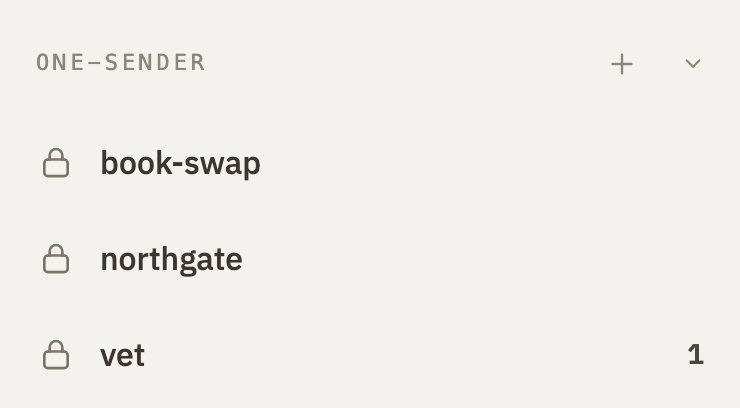
- Type a name for it, and select Create.
- Give the address to the company or person it's for.
See who it's locked to
The inbox locks to the first sender whose address can be checked: the domain in their From line has to vouch for the message, with the checks email uses against forgery. What the lock keeps depends on who wrote:
- A company, by its domain. Mail from any domain of the same organization gets in, so
news.northgatebank.exampleandnorthgatebank.examplecan both write. - A person at Gmail, Outlook, iCloud or another shared provider, by their own address, such as
ana@gmail.com. Nobody else there gets in.
To see who it is, open the inbox, then its settings with the gear at the top right, and look under Locked to. Until someone writes, it says Nobody yet.

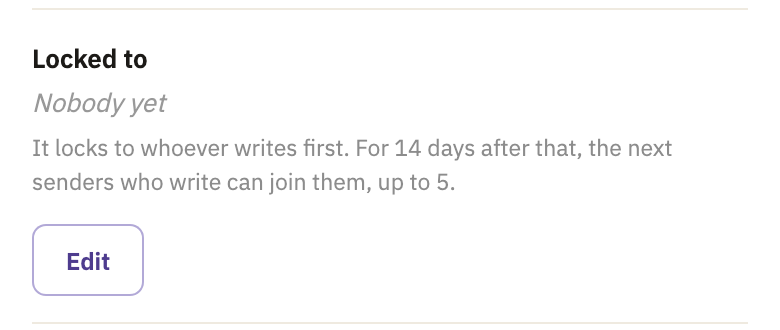
More senders in the first 14 days
For 14 days after the first sender locks the inbox, the next senders who write join its lock the same way, up to five in all. Their addresses have to be ones that can be checked, like the first one's. That's how a company that also writes from a second domain gets in without your help.
While the 14 days run, Locked to says until when new senders can join.
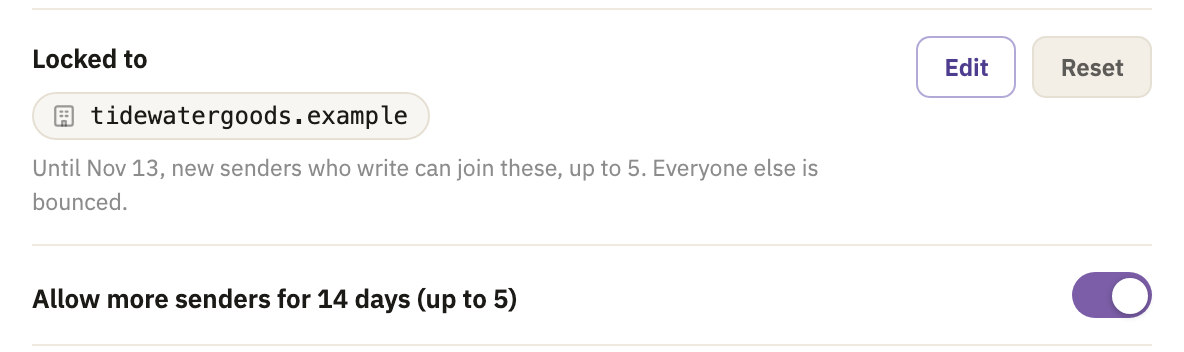
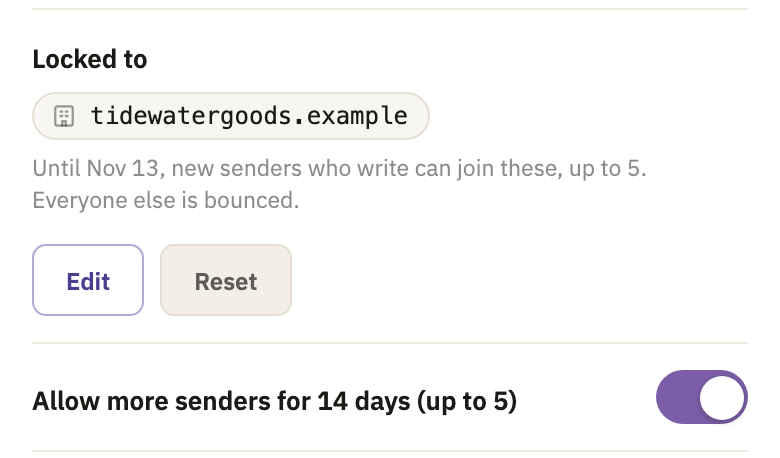
To let only the first sender in:
- Open the inbox, then its settings with the gear at the top right.
- Under Status, switch Allow more senders for 14 days (up to 5) off. It takes effect at once.
Switch it back on, and new senders can join again until the same day: the 14 days don't start over.
Let someone else in
Once the 14 days are over, or with Allow more senders for 14 days (up to 5) off, anyone else who writes is turned away as their mail arrives. Their own mail server tells them it wasn't delivered, and nothing of it is kept here.
They're given the answer an address that doesn't exist gets, no such inbox here, so they aren't told the inbox is locked, or who it takes mail from. Some mail services stop writing to an address for good after that answer, so when you're expecting mail from someone new, add them before they write.
To take mail from someone else too, add them to the lock: Let more senders into a one-sender inbox shows how.
Good to know
- Mail that can't be checked doesn't lock it
- It's still delivered, and the inbox waits for a sender whose address can be checked. Mail that goes to your spam folder never locks it, and never joins its lock either.
- The 14 days start with the first sender
- Not when you make the inbox. They don't move, either: switching Allow more senders for 14 days (up to 5) off and on again doesn't give any days back.
- Five senders at most
- The five include the ones you add yourself. Once the fifth is in, nobody else joins by writing, even if you take one off later.
- Someone you take off stays off
- They can't join again by writing, or lock the inbox again if you take everyone off. You can still add them yourself. A Reset starts everything over, with 14 new days from the next sender who writes.
- A lock you make yourself
- Add the first sender yourself, before anyone writes, and nobody else joins by writing.
- New inboxes have it on
- One-sender inboxes and prefixes made before the setting existed have it off, and lock to their first sender only.
- A person's address, exactly
- To a lock,
ana.tavares@gmail.comandanatavares@gmail.comare two senders, and so is the same address with a+in it. - The header says who
- On a computer, an inbox's header says who it takes mail from, such as Only accepts northgatebank.example, or Not yet locked to a sender.
- It doesn't expire
- It takes mail until you switch it off, or give it an end date.
Did this help?
Thank you for telling us.