Inboxes · Guide
Permanent addresses
The address on your business card or your website, which anyone can write to. Add another, switch one off for a while, or delete one you no longer use.
A permanent address takes mail from anyone and has no end date: it's the one to publish. Your account came with one, and its mail is kept until you delete it.
Add another
- In the sidebar, next to Permanent, select +. On a phone, select Inboxes at the bottom of the screen first.
- Type a name, and select Create.
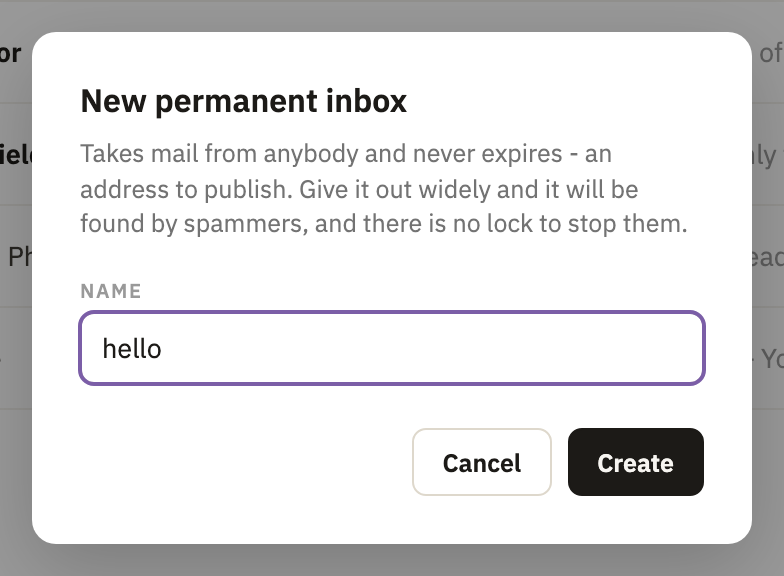
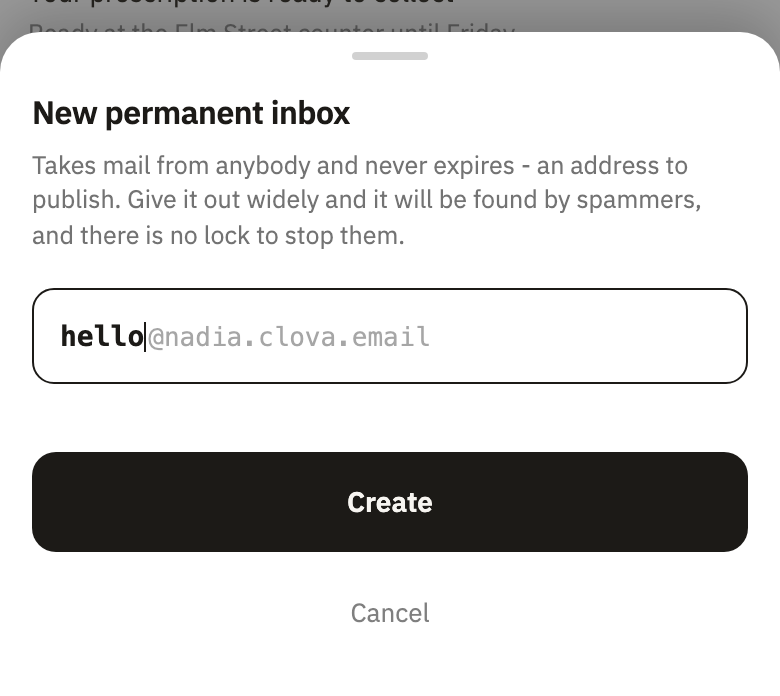
New inbox makes one too, as Permanent address.
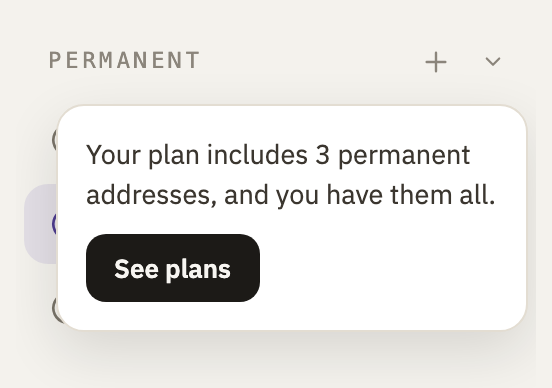
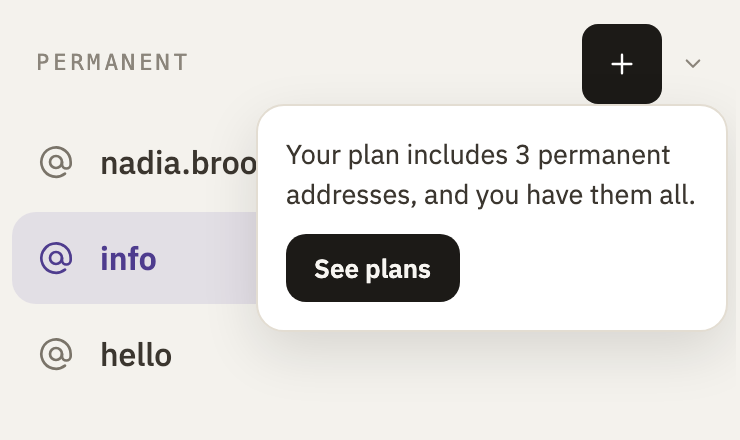
Free includes 3 permanent addresses, Pro 15, and Business as many as you like. Only the ones switched on count. Once they're all in use, + says so, with See plans.
Switch one off
- Open the address, then its settings with the gear at the top right.
- Under Status, switch Enable off.
- Select Apply, at the bottom.
New mail to it is bounced, and the mail in it stays. The sidebar marks it off, and it stops counting toward your plan. To switch it back on, switch Enable on again: your plan needs room for it then. More on switching off.
Delete one
In its settings, under Danger Zone, select Nuke Inbox: Delete an inbox shows each step. Your last permanent address can't be deleted, since every account keeps one, but it can be switched off.
Good to know
- Anyone can write to it
- A permanent address has no lock, so if it's published widely, spammers find it too. For a shop or a newsletter, use an address under a prefix or a one-sender inbox.
- Nothing runs out
- There's no end date to give it, and switching it off never deletes its mail.
- If you stop paying
- Addresses beyond what Free includes are switched off, not deleted. What happens.
Did this help?
Thank you for telling us.